 PixelCircles
Pixel Circle Generator for Minecraft
Choose a diameter, style, and block. A 15-block circle takes 40 blocks as a thin outline, 56 as a thick one and 177 filled in. Get an exact Minecraft circle plan with row counts, block totals, and a Litematic schematic download. Works for Java and Bedrock, with circles and ovals up to 1000 blocks wide and spheres and domes up to 256.
| Material | Blocks |
|---|
- Blocks
- 40
- Stacks of 64
- 40 blocks
- Diameter
- 15
- Radius
- 7.5
- Circumference
- 47.1
- Placed
- 0 / 40
Click a block to mark it placed.
Readout coordinates: x points east and z south, counted from the centre block; on an even size, 0, 0 is the block just south-east of the centre.
Keys: ↑↓ size · T style · E tools
For the Litematica mod: put the file in .minecraft/schematics, press M in game, then Load Schematics.
Row-by-row block counts
| Row | Blocks | Columns with a block |
|---|---|---|
| 1 | 5 | 6–10 |
| 2 | 4 | 4–5, 11–12 |
| 3 | 2 | 3, 13 |
| 4 | 2 | 2, 14 |
| 5 | 2 | 2, 14 |
| 6 | 2 | 1, 15 |
| 7 | 2 | 1, 15 |
| 8 | 2 | 1, 15 |
| 9 | 2 | 1, 15 |
| 10 | 2 | 1, 15 |
| 11 | 2 | 2, 14 |
| 12 | 2 | 2, 14 |
| 13 | 2 | 3, 13 |
| 14 | 4 | 4–5, 11–12 |
| 15 | 5 | 6–10 |
How to use
- Pick a diameter, or type it in.
- Build ring by ring: each row shows its block count.
- Download the .litematic, or print the plan.
A Minecraft circle generator turns a round shape into a square block grid, so you can see exactly where each block goes. Also known as an MC circle generator for Minecraft, it lets you enter a diameter from 1 to 1000, choose thin, thick or filled, and copy the plan into your world. Click blocks as you place them, or download the plan as a PNG or a Litematica file.
Example circles
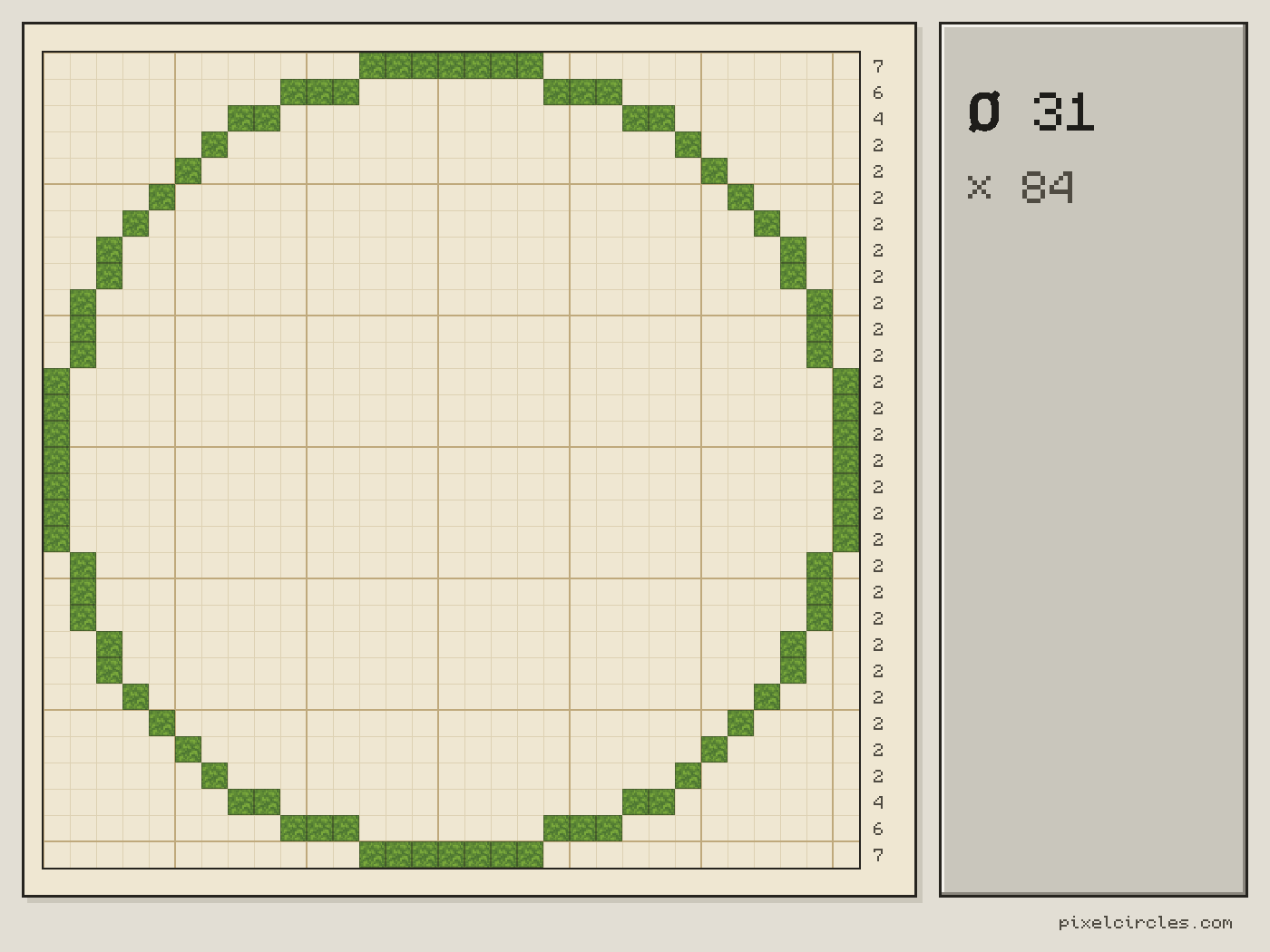
Each green square is one block. These are thin circles straight from the generator; open one to change its size or style.
Look at how the steps change around each ring. Near the top and bottom the rows are long and flat; toward the sides they shrink to single blocks stacked on a slant. The same pattern repeats at every size, which is why copying one quarter is enough.
Need a vertical route inside a tower? Use the Minecraft spiral staircase generator to plan walkable steps one level at a time.
What this Minecraft circle generator gives you
An exact block plan
Every square in the grid is one block. Hover a row to see its number and how many blocks it holds, or open the row-by-row table under the tool.
Four shapes in one place
Switch between a flat circle, an oval with its own width and height, a full sphere and a dome. The size you entered comes with you when you switch.
Thin, thick or filled
Thin uses the fewest blocks. Thick closes the corner steps so fences and glass panes join up. Filled gives a solid disc for floors and platforms.
Downloads for building
Save a high-resolution PNG to keep on a second screen, print the plan, or download a .litematic file and see the whole shape as a hologram in your world.
The Stats panel next to the plan lists the block count, the number of stacks, the diameter, the radius and the circumference. Copy it with one click to paste into a chat or a build notes file.
It also works as a regular pixel circle generator for pixel art, cross-stitch and fuse bead circles: use the pixel art grid maker and the pixel art templates.
How to use it
1. Choose a shape
Circle is selected on this page. Use the tabs above the controls to switch to an oval, a sphere or a dome.
2. Set the size
Type a diameter, drag the slider or use the − and + buttons. The plan and the block count update as you go.
3. Pick a style
Thin for a light ring, thick when fences or glass panes must join up, filled for a solid disc. Turn grid lines off for a cleaner look, and zoom in on big plans.
4. Build, mark or download
Build straight from the screen and click each block after you place it, so you never lose your place. Or download the PNG or the Litematica file.
Common circle sizes
Any size from 1 to 1000 works. These are the sizes builders reach for most, with the exact block count for each style.
| Diameter | Thin | Thick | Filled | Good for |
|---|---|---|---|---|
| 5 | 12 | 16 | 21 | Lamp posts, chimney tops, small pillars |
| 7 | 16 | 24 | 37 | Wells, starter towers, fountains |
| 9 | 24 | 32 | 69 | Watchtowers, small ponds, silo walls |
| 11 | 28 | 40 | 97 | Wizard towers, spiral stair shafts |
| 15 | 40 | 56 | 177 | Main tower floors, round rooms, small arenas |
| 21 | 56 | 80 | 349 | Castle keeps, domed halls, base cores |
| 31 | 84 | 120 | 749 | Plazas, stadium corners, big domes |
| 41 | 112 | 160 | 1,313 | Arenas, mega-base floors |
| 61 | 172 | 240 | 2,933 | Monuments, city rings, huge domes |
Need every size at a glance? See the Minecraft circle chart and diagram.
Choose the right shape
Circle
For tower floors, wells, fountains, lighthouses, round rooms and arenas: anything as wide as it is deep.
Oval
For stadiums, racetracks, pools, long halls and windows. Set the width and the height on their own.
Sphere
For planets, glass biodomes, giant orbs and underwater bases. The plan comes as flat layers you build one on top of the next.
Dome
For tower roofs, observatories, greenhouses and cathedral ceilings. Use the same diameter as the walls underneath.
Other shapes
- Pixel art: turn a picture into a wall of coloured blocks.
- Star: 3 to 12 points for flags, badges and tree toppers.
- Spiral: flat spirals for floors and plazas.
- Spiral staircase: walkable stairs, one level at a time.
- Heart: classic or chunky, outline or filled.
- Beacon pyramid: every level with materials and range.
Circle chart
Not sure which size you want? The chart puts every circle from 5 to 50 blocks side by side, so you can compare them and print the sheet.
How to build a circle in Minecraft
- Mark the centre. The orange lines cross at the middle of the plan. On odd sizes they run through one centre block; on even sizes they sit between blocks. Put a marker block there in your world.
- Lay the four widest rows. Walk out from the centre along each orange line and place the outermost blocks. Now the circle has its top, bottom, left and right.
- Fill in one quarter. Work from one of those edge blocks toward the next, copying the steps row by row. Hover a row in the plan to count it.
- Mirror it. Every circle is symmetric, so the other three quarters are copies of the first, turned around the centre.
Builder workflow
On a survival world, check the Stats panel first: it gives the total in stacks of 64, so you know how many trips to the storage room you need. Fill your hotbar, then build one quarter at a time.
Keep the plan open on a phone or a second screen and click each block after you place it. The placed count in the Stats panel tells you how far you are, and the dimmed blocks show what is left.
Circles over about 60 blocks do not fit on a screen at a readable size. Drag the zoom to 200% or more and scroll to one quarter at a time, or save the PNG and zoom into it on another device.
For towers, build the first ring, check it against the plan, and only then stack the walls. On creative worlds, the Litematica file lets you see the finished ring as a hologram before you place anything.
Common mistakes
Beginning at the edge instead of the centre
A circle has no corners. Start from the centre and the four widest rows, or the steps drift and the ring ends up lopsided.
Gathering blocks for the wrong style
A filled 21-block disc takes 349 blocks against 56 for the ring. Check the style before you gather materials.
Building upward on a wrong first ring
One misplaced block in the first ring repeats all the way up. Walk around the base and compare it with the plan before going higher.
Going too small to look round
Below about 7 blocks a circle looks more like a rounded square. If the build needs to read as round, go bigger.
Leaving the door until the end
Decide where the door goes before you build. An odd diameter gives a single centre block on each side for a 1-wide door; an even one fits a 2-wide door.
Frequently asked questions
Can a Minecraft circle ever be perfectly round?
You cannot place half blocks along a curve, so every Minecraft circle is an approximation. Pick a diameter, copy the plan row by row from the centre lines outward, and the ring will look round from any normal viewing distance.
How many blocks do I need for a circle?
It depends on the size and the style. A thin circle 15 blocks across takes 40 blocks, a thick one 56, and a filled disc 177. The Stats panel shows the exact count and the number of stacks for any size.
What is a good circle size for a tower?
Between 9 and 15 blocks across. A 9-block tower leaves room for a ladder or a spiral staircase; a 21-block keep has space for rooms on each floor and uses 56 blocks per ring.
Should I use an odd or an even diameter?
Odd diameters have one centre block, which suits a beacon, a fountain spout or a 1-wide door on each side. Even diameters have a 2 × 2 centre and suit 2-wide doors and double staircases.
Does this work for Java and Bedrock?
Yes. The block plans are the same in every edition. The .litematic download is for the Litematica mod, which runs on Java Edition only; Bedrock players can follow the plan or the PNG.
Why does my circle differ from another generator by a block?
Generators use different rounding rules. This Minecraft circle generator places a block when the centre of that block is inside the circle, which keeps every size symmetric in all four directions.
Can I import this build straight into Minecraft?
Yes, on Java Edition with the Litematica mod. Install Fabric and MaLiLib, put the .litematic file in .minecraft/schematics, then press M → Load Schematics in Minecraft. In survival, the build appears as a translucent hologram and you place blocks over it; Easy Place can place one block at a time from the projection. In creative, Litematica can paste the whole build into your world; on a server you need administrator (op) permission. Bedrock Edition cannot use .litematic files, so follow the grid and layer plans instead.
Is this the same as an MC circle maker?
Yes. MC is short for Minecraft, so this is a circle maker for Minecraft. Enter a diameter, choose a thin, thick or filled style, and get a block-by-block plan with counts for Java or Bedrock. You can also download a .litematic file for the Litematica mod and load it in Minecraft Java.