 PixelCircles
Minecraft Arch Generator
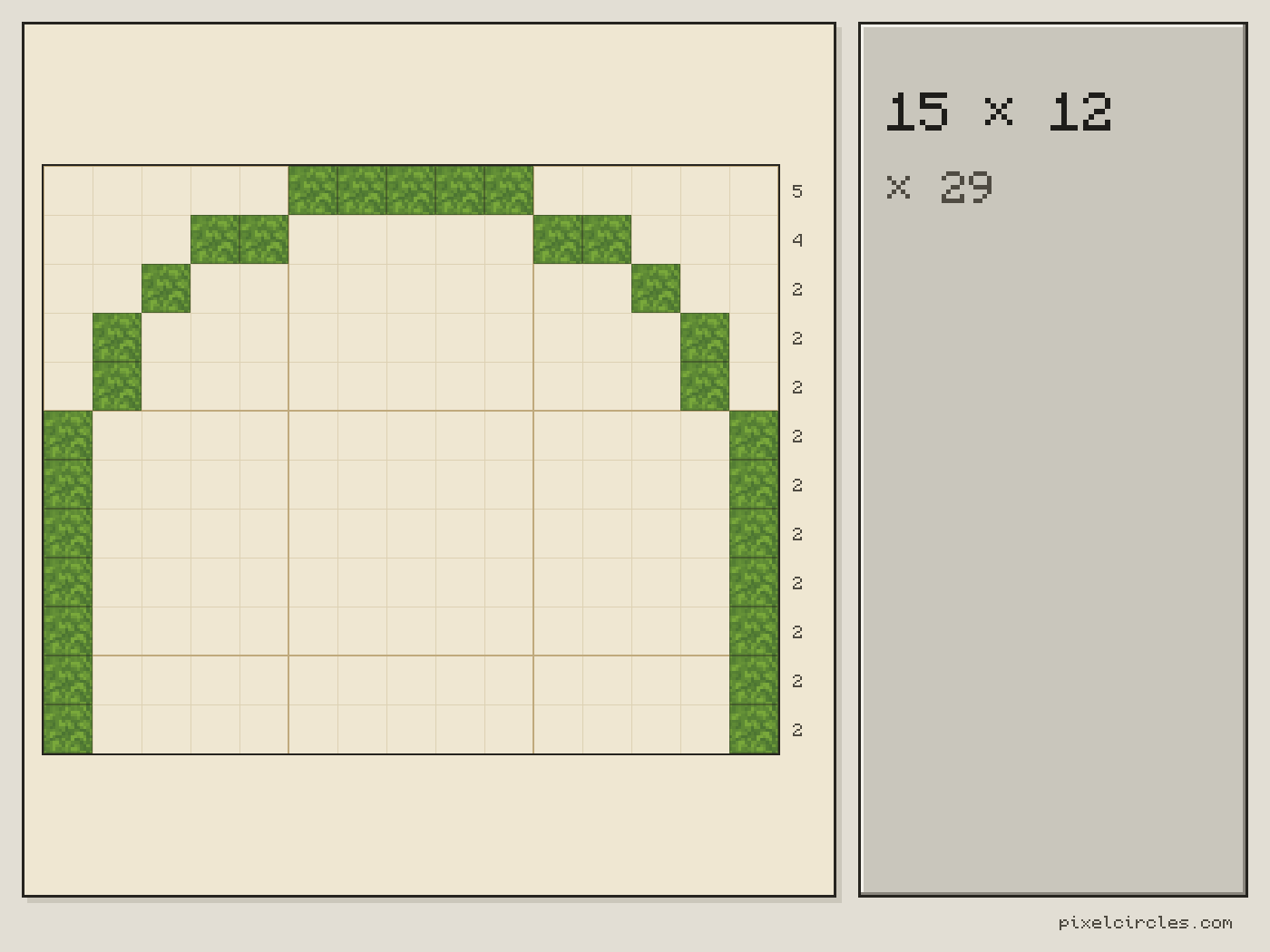
A round Minecraft arch 15 blocks wide and 12 tall takes 29 blocks in a one-block wall, 56 blocks with a two-block ring, and 87 blocks when it runs 3 blocks deep. This Minecraft arch generator plans arches in Minecraft from a width and a height, round, pointed or oval, from a doorway or a window to the span of an arch bridge, with the block count for every row. Download a .litematic schematic and import it into Minecraft Java with Litematica — build over the hologram in survival or paste it in creative.
| Material | Blocks |
|---|---|
| Stone | 29 |
- Blocks
- 29
- Stacks of 64
- 29 blocks
- Width × height
- 15 × 12
- Front face
- 29 blocks
- Straight sides
- 5 blocks
- Clear opening
- 13 wide × 11 tall
- Depth
- 1 block
- Placed
- 0 / 29
Click a block to mark it placed.
Readout coordinates: x points east and z south, counted from the centre block; on an even size, 0, 0 is the block just south-east of the centre.
Keys: ↑↓ size · 3 3D view · E tools
For the Litematica mod: put the file in .minecraft/schematics, press M in game, then Load Schematics. The file stands the shape up as a wall one block thick.
Row-by-row block counts
| Row | Blocks | Columns with a block |
|---|---|---|
| 1 | 5 | 6–10 |
| 2 | 4 | 4–5, 11–12 |
| 3 | 2 | 3, 13 |
| 4 | 2 | 2, 14 |
| 5 | 2 | 2, 14 |
| 6 | 2 | 1, 15 |
| 7 | 2 | 1, 15 |
| 8 | 2 | 1, 15 |
| 9 | 2 | 1, 15 |
| 10 | 2 | 1, 15 |
| 11 | 2 | 1, 15 |
| 12 | 2 | 1, 15 |
How to use
- Set the size and options above the plan.
- Click a block to mark it placed as you build.
- Download the .litematic, or print the plan.
This Minecraft arch generator shows the front of an arch as a grid of blocks. Enter a width and a height, choose a round, elliptical or pointed curve, then set how thick the ring is and how many blocks deep the arch runs.
How to build an arch in Minecraft
An arch is a curve over an opening: a doorway, a gate, a window, a tunnel mouth or the span of a bridge. On a block grid the curve becomes steps, and the steps have to be even on both sides or the arch leans. The Minecraft arch generator does that counting for you. It fills every block whose centre lies inside the curve, then keeps a ring of the thickness you ask for, the same way the circle generator outlines a circle. The curve of a one-block round arch is exactly the top half of a thin circle.
Minecraft has no structural physics, except for falling blocks such as sand and gravel, so an arch is about how it looks and not about holding weight. That frees you to choose any width and height, and to make the ring as thick as the wall around it.
Round, elliptical and pointed arches
A round arch is half a circle. Its curve rises half the width, so a 15-wide arch has a curve 8 rows tall; anything taller than that gets straight sides under the curve, which is what the 12-tall example above has, 5 rows of them. A pointed arch, the Gothic shape, is two arcs that each have the width of the opening as their radius and meet in a point at the top. It needs about 87% of its width in height, so 15 wide needs at least 13 rows. An elliptical arch takes its width and its height separately, like the oval generator, so it can be low and wide for a bridge or tall and narrow for a window. When you enter a height that is too low for a round or pointed arch, the plan raises it to the lowest possible height and tells you.
Step-by-step arch guide
- Enter the outer width. This is the full width of the arch from the outside of one side to the outside of the other, including the ring itself.
- Enter the height. Height counts from the ground to the top of the ring.
- Choose the curve. Round for doors and bridges, pointed for gothic windows and churches, elliptical for wide, low spans.
- Set the thickness. One block is a thin outline; two to four blocks suit gates and bridges. The clear opening in the stats shows how much room is left inside.
- Set the depth. Depth is how many blocks the arch runs back into the wall or along the tunnel. The total in the stats is the front plan times the depth.
- Build from the bottom row. Click each block on the plan as you place it, or step through the rows table.
Minecraft arch chart: blocks for common widths
The Minecraft arch chart below lists arches with no straight sides, as tall as their curve, at the widths builders use most. Every extra row of straight side adds two blocks per block of ring thickness. Open a width to change its height, curve or depth.
| Width | Round arch height | Round, 1 thick | Round, 2 thick | Pointed arch height | Pointed, 1 thick | Pointed, 2 thick |
|---|---|---|---|---|---|---|
| 3 | 2 | 5 | 6 | 3 | 5 | 7 |
| 5 | 3 | 7 | 12 | 5 | 9 | 16 |
| 7 | 4 | 9 | 16 | 7 | 13 | 24 |
| 9 | 5 | 13 | 24 | 8 | 15 | 28 |
| 11 | 6 | 15 | 28 | 10 | 21 | 38 |
| 15 | 8 | 21 | 40 | 13 | 27 | 52 |
| 21 | 11 | 29 | 56 | 19 | 39 | 76 |
| 31 | 16 | 43 | 84 | 27 | 55 | 108 |
Minecraft arch bridge
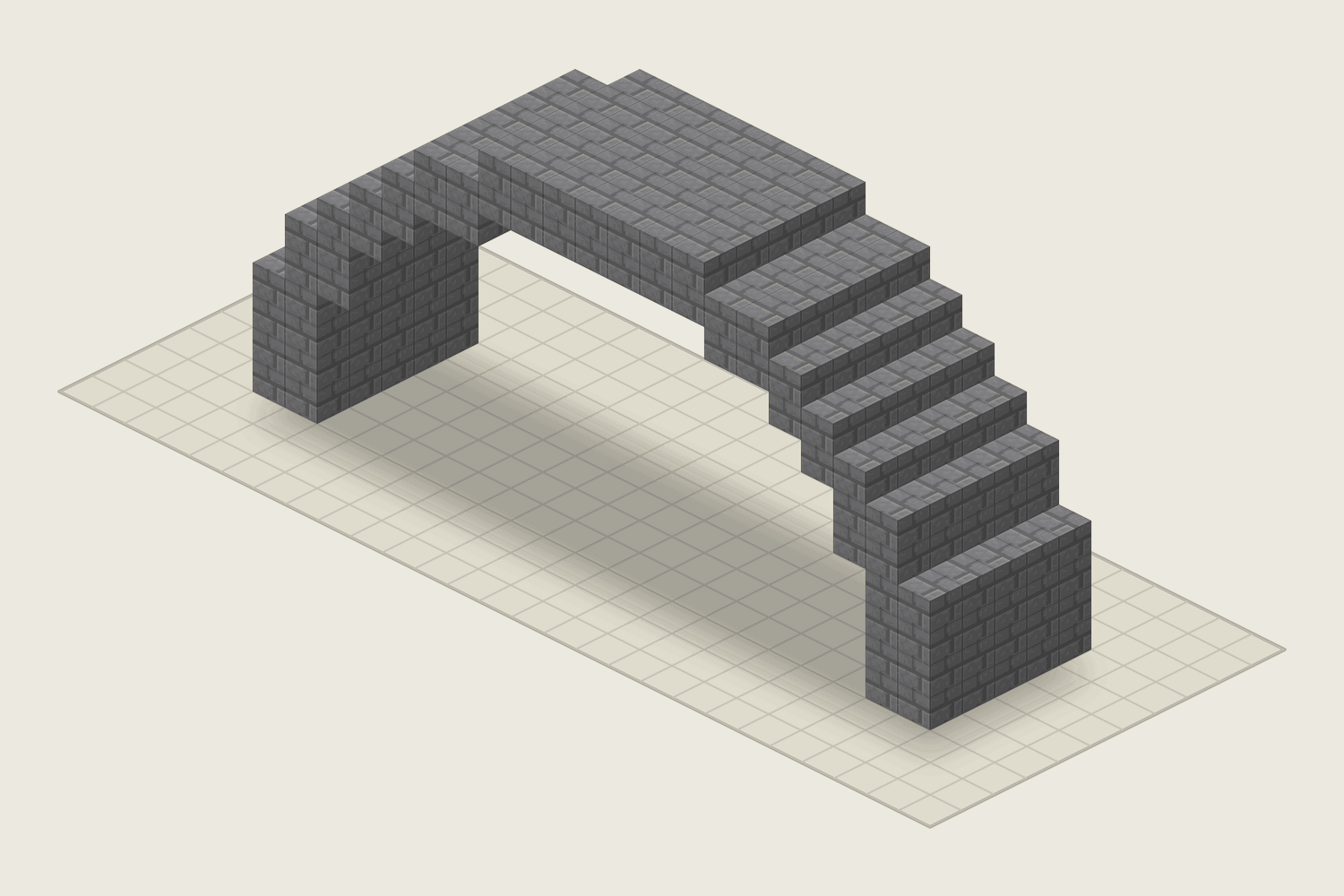
A bridge is a row of thick arches with a deck laid across the top, so the generator plans one span at a time: the width is the opening under the deck, the thickness is the ring and the depth is the width of the road. These five spans are the bridge designs in the build gallery, from a garden footbridge to a stone viaduct. Each block count comes from the same engine as the plan, and each span opens in the tool with its own settings.
| Bridge | Span (wide × tall) | Curve | Ring thickness | Depth | Blocks |
|---|---|---|---|---|---|
| Garden footbridge | 9 × 7 | Round | 1 | 2 | 34 |
| Castle gate bridge | 15 × 9 | Round | 2 | 3 | 132 |
| River arch bridge | 21 × 11 | Round | 2 | 5 | 280 |
| Grand stone viaduct | 31 × 16 | Round | 3 | 7 | 861 |
| Low oval aqueduct | 31 × 10 | Elliptical | 2 | 3 | 204 |
The 3D picture above is the 21 × 11 span of the table, built from stone bricks. Build one span, repeat it along the river and lay the deck across the top; raise the thickness to make the ring look heavier and the depth to make the road wider.
Arches in Minecraft: ideas
- Doorways and archways from 3 wide and 4 tall, with a one-block ring, in stone bricks or cobblestone.
- Castle gates around 9 wide and 11 tall with a ring two blocks thick, run 2 blocks deep so the gate reads as a passage through a wall.
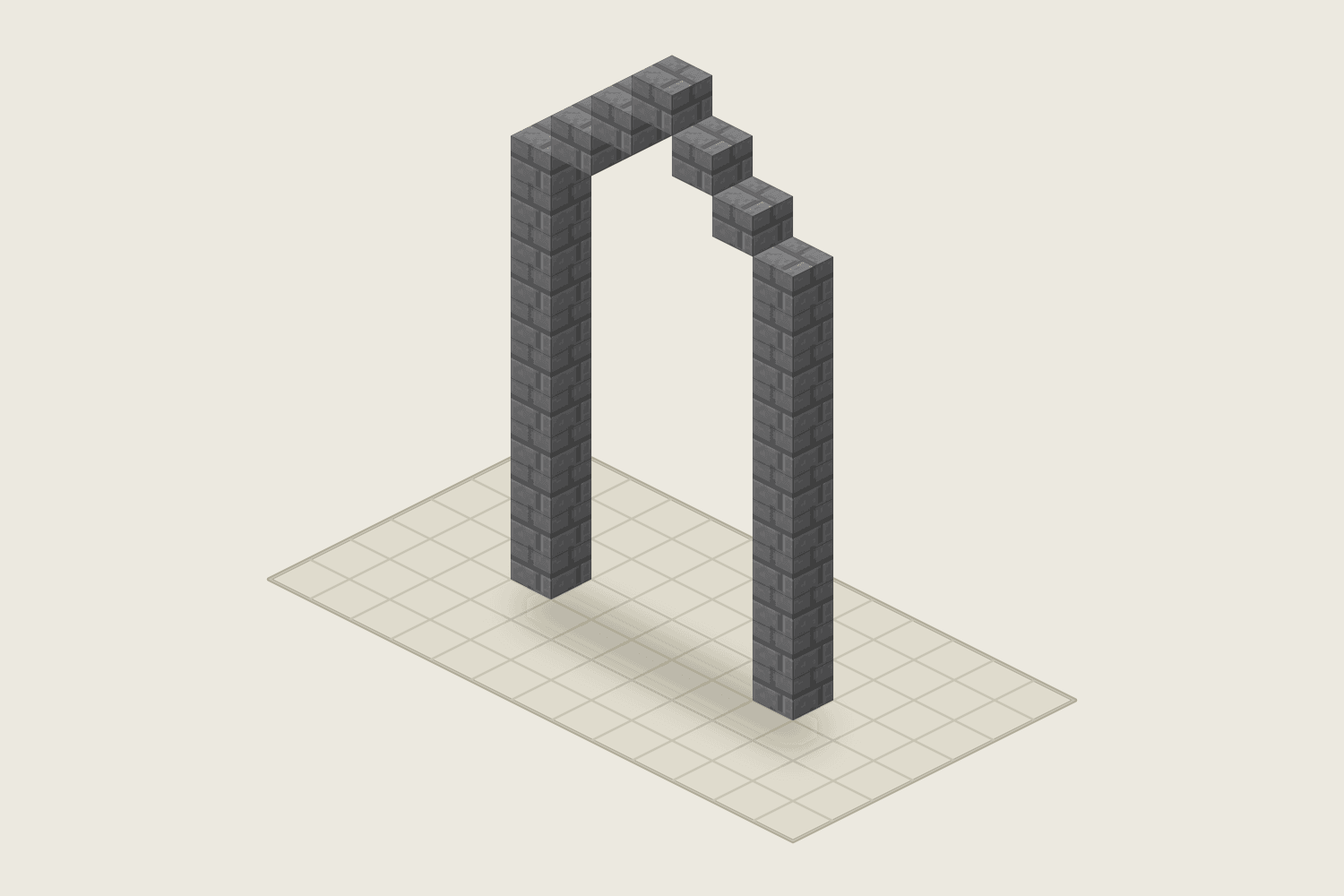
- Windows 5 wide and 8 tall, or a Gothic window 7 wide and 14 tall that takes 27 blocks.
- Bridges: a round arch 21 wide and 11 tall with a ring two blocks thick takes 56 blocks a slice, and 280 blocks at 5 blocks deep. Repeat it along the river and lay a deck on top.
- Tunnels and colonnades made by setting the depth to 10 or 16 and placing arches side by side.
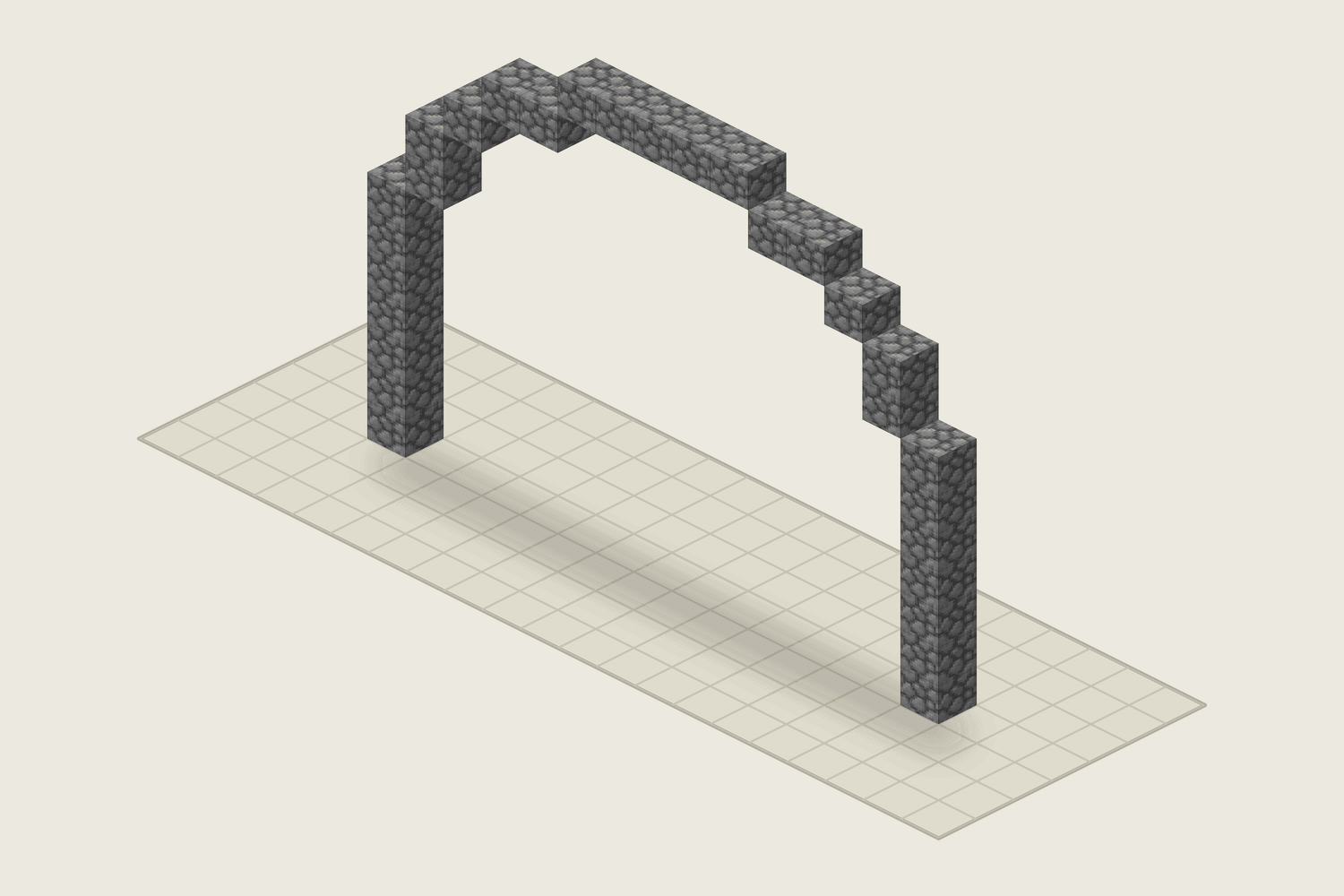
- Wide oval arches for aqueducts: 31 wide and 10 tall, two thick, takes 68 blocks a slice, 204 at 3 deep.
Tips for better arches
On a pointed arch an odd width ends in a single block at the peak, the keystone, which you can build in a different block for a classical look; an even width ends in two. To smooth the steps, swap the outer corner block of each step for a stair block, with the tall side facing away from the opening; the plan counts full blocks, so the totals stay the same. Because the arch is symmetrical, build one side and copy it to the other. For a bridge, make the ring at least two blocks thick so the span looks heavy enough to carry a road.
Download the arch as a .litematic file to paste it into your world with the Litematica mod. The file stands the arch up as a wall, as many blocks thick as the depth you set.
Frequently asked questions
How do I make an arch in Minecraft?
Choose a width and a height in the arch generator and pick a round, elliptical or pointed curve. Build the bottom row of the plan first, then go up row by row; the plan shows how many blocks each row takes and where they sit, and every row is a mirror image of itself.
How many blocks does a Minecraft arch need?
A round arch 15 blocks wide and 12 tall takes 29 blocks with a one-block ring and 56 with a two-block ring. Multiply by the depth: at 3 blocks deep that is 87 blocks. The Stats panel gives the exact total and the number of stacks of 64 for any size.
How do I build an arched bridge in Minecraft?
A bridge is a row of thick arches with a deck on top. Make one round arch with a thick ring, for example 21 wide and 11 tall with a ring two blocks thick, and set the depth to the width of the bridge. That takes 280 blocks at 5 deep. Repeat the arch for each span and lay the deck along the top; the clear opening in the stats tells you how much headroom is left under the deck. Use the same plan for any arched bridge Minecraft map needs, from a stone viaduct to a small garden bridge.
What is the difference between a round, an elliptical and a pointed arch?
A round arch is half a circle and its height is half its width. An elliptical arch is half an oval, so its width and height are independent. A pointed arch has two arcs meeting at a peak and is about 87% as tall as it is wide, which suits gothic windows and doors.
How tall should an archway be?
For archways Minecraft players walk through, use at least half its width for a round arch, so a doorway 3 blocks wide needs a curve of 2 rows. For a door that a player can walk through, add straight sides: 3 wide and 4 tall leaves a clear opening 1 block wide and 3 tall with a one-block ring. Check the Clear opening line in the stats before you build.
How do I use the Minecraft arch generator with Litematica?
Set the size, curve, thickness and depth, choose a block, and press .litematic in the tools. Put the file in .minecraft/schematics, press M in the game and load it from the Litematica menu. The arch appears as a wall the depth you chose.
Can I import this build straight into Minecraft?
Yes, on Java Edition with the Litematica mod. Install Fabric and MaLiLib, put the .litematic file in .minecraft/schematics, then press M → Load Schematics in Minecraft. In survival, the build appears as a translucent hologram and you place blocks over it; Easy Place can place one block at a time from the projection. In creative, Litematica can paste the whole build into your world; on a server you need administrator (op) permission. Bedrock Edition cannot use .litematic files, so follow the grid and layer plans instead.