 PixelCircles
Dome Generator for Minecraft
A hollow Minecraft dome 31 blocks across is 16 layers tall and takes 1,233 blocks, or 8,132 filled; its base ring alone has 84. Use this Minecraft dome generator to plan any dome up to 256 blocks wide from the base up, with the block count for every layer. Works for Java and Bedrock. Download a .litematic schematic and import it into Minecraft Java with Litematica — build over the hologram in survival or paste it in creative.
| Material | Blocks |
|---|
- Layer
- 1 / 8 · Y=0
- This layer
- 40
- Total blocks
- 285
- Stacks of 64
- 4 stacks + 29
- Base diameter
- 15
- Height
- 8 layers
- Width × depth × height
- 15 × 15 × 8
- Placed
- 0 / 285
Click a block to mark it placed.
Readout coordinates: x points east and z south, counted from the centre block; on an even size, 0, 0 is the block just south-east of the centre.
Keys: ↑↓ size · ←→ layer · 3 3D view · T style · E tools
For the Litematica mod: put the file in .minecraft/schematics, press M in game, then Load Schematics. The file holds every layer.
Row-by-row block counts for this layer
| Row | Blocks | Columns with a block |
|---|---|---|
| 1 | 5 | 6–10 |
| 2 | 4 | 4–5, 11–12 |
| 3 | 2 | 3, 13 |
| 4 | 2 | 2, 14 |
| 5 | 2 | 2, 14 |
| 6 | 2 | 1, 15 |
| 7 | 2 | 1, 15 |
| 8 | 2 | 1, 15 |
| 9 | 2 | 1, 15 |
| 10 | 2 | 1, 15 |
| 11 | 2 | 2, 14 |
| 12 | 2 | 2, 14 |
| 13 | 2 | 3, 13 |
| 14 | 4 | 4–5, 11–12 |
| 15 | 5 | 6–10 |
How to use
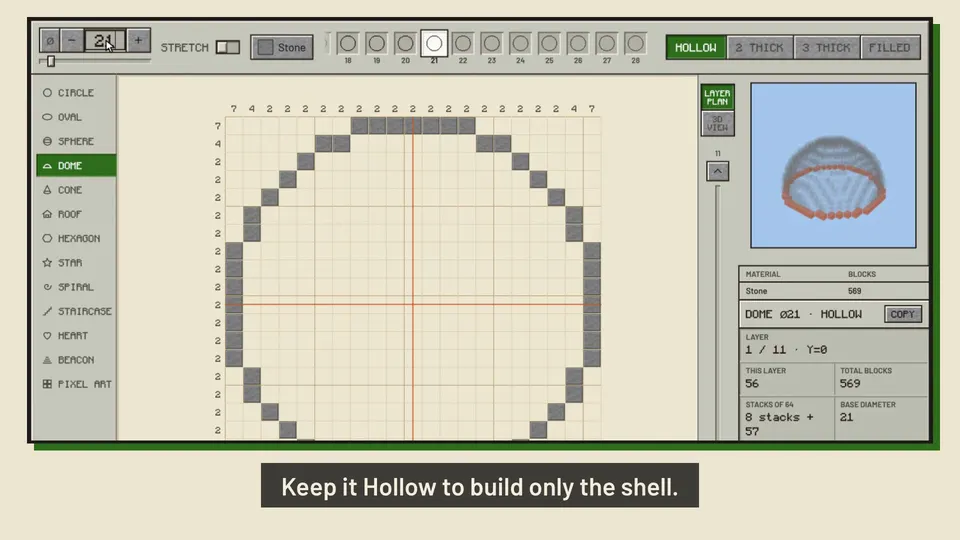
- Set the size and style, or type the size in.
- Step through the layers: each shows its block count.
- Download the .litematic, or print the plan.
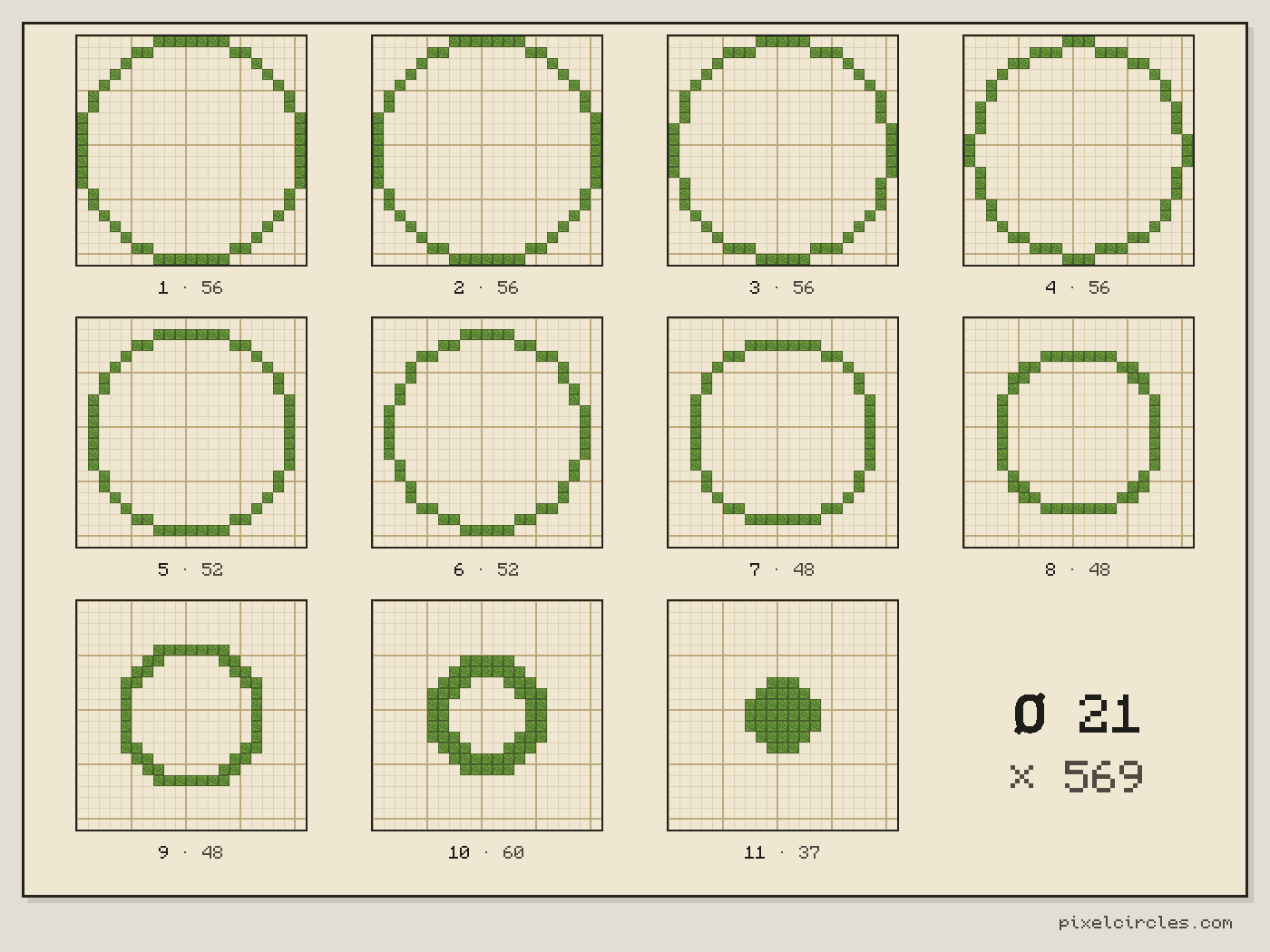
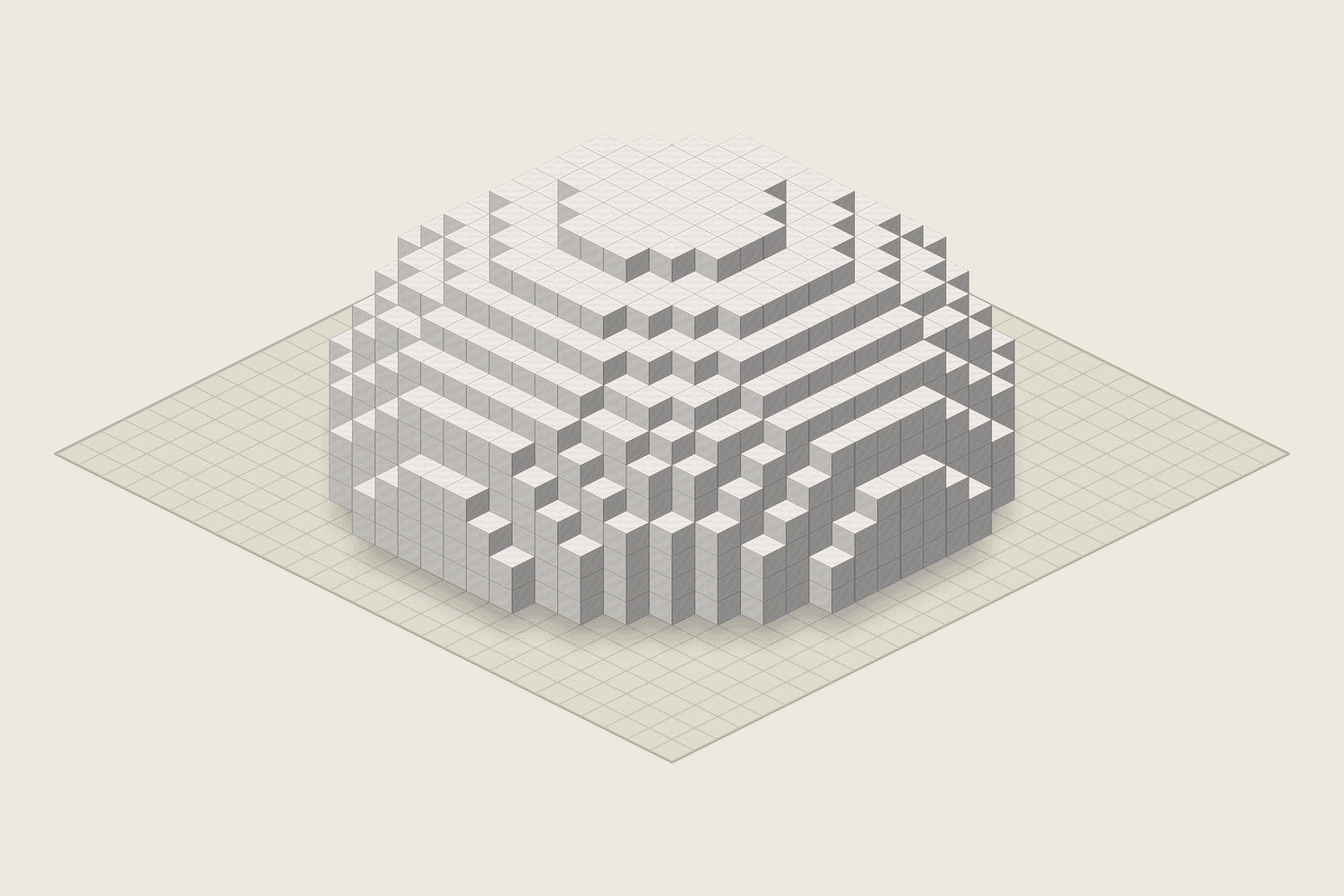
This Minecraft dome generator draws the top half of a sphere as flat rings. Enter the base diameter, then step from the widest ring at the bottom to the small cap at the top, with the block count for every layer.
How to build a dome in Minecraft
A dome is a stack of shrinking circles. Layer 1 is the widest ring and sits on the ground or on top of your walls; each layer above is a little smaller, and the last one is a small solid cap.
The rings shrink slowly near the base and quickly near the top. That is what makes a dome look round and not like a cone, so copy each layer exactly rather than stepping in by one block every time.
For a dome on a round tower, give the dome the same diameter as the tower. The first ring then lines up with the top of the tower wall.
Step by step with the Minecraft dome generator
- Set the base. Enter the diameter of the base, or of the tower the dome sits on. Check the total in the Stats panel.
- Mark the centre. Put a marker block in the middle of the base. The orange lines on every layer cross over this same column.
- Lay the base ring. Build layer 1 on the ground or on the wall top. Walk around it and compare it with the plan.
- Go up one layer at a time. Press → or drag the slider, then place the next ring directly on top. Click blocks on the plan as you go to keep your place.
- Close the top. The last layer is a small solid cap. On a glass dome, this is a good spot for a light.
Popular dome ideas
- Tower roofs in the same diameter as the tower, often in a darker block than the walls.
- Observatories with a glass dome over a telescope room.
- Greenhouses built from glass so crops and trees get light.
- Cathedral and palace ceilings over a large circular hall.
- Igloos and huts from snow blocks or mud bricks for small builds.
Tips for better domes
Use a hollow dome for roofs; a filled one uses far more blocks and only makes sense for a solid hill or mound. For a flatter roof, build only the first few layers of a larger dome and close it with a flat cap.
To put a dome on square walls, give it the same diameter as the length of a wall. The base ring touches the middle of each wall, and the four corners can be closed with a flat roof or with stairs.
For a striped look, switch blocks every two or three layers. For a smooth outline in survival, place stairs on the outer steps after the dome is finished; the plan shows where each step is.
Block counts for common sizes
Once you have the total, the Minecraft stack calculator turns blocks into stacks, shulker boxes and chest space.
| Base diameter | Layers | Base ring | Hollow | Filled |
|---|---|---|---|---|
| 9 | 5 | 24 | 105 | 229 |
| 15 | 8 | 40 | 285 | 984 |
| 21 | 11 | 56 | 569 | 2,647 |
| 31 | 16 | 84 | 1,233 | 8,132 |
| 41 | 21 | 112 | 2,177 | 18,725 |
| 51 | 26 | 144 | 3,393 | 35,826 |
| 64 | 32 | 180 | 5,232 | 68,688 |
Frequently asked questions
How do I build a dome in Minecraft?
Build the base ring on top of your walls, then add one smaller ring per layer until you close the top. The layer slider shows every ring from the base up, with its block count.
What is the best size for a dome?
Match the dome to what is under it. For a round tower, use the same diameter as the tower. A 15 to 21 block dome suits a tower roof or an observatory; 31 and up makes a hall or a cathedral ceiling.
How tall is a dome?
Half its diameter, rounded up. A dome with a 31-block base is 16 layers tall.
How many blocks does a dome need?
A hollow dome with a 31-block base takes 1,233 blocks, and a filled one 8,132. The Stats panel of the Minecraft dome generator gives the exact total and the number of stacks for any base up to 256.
What blocks look good on a dome?
Glass for greenhouses and observatories, copper that weathers to green for a classic roof, and quartz or white concrete for a clean modern look. Mix two blocks in rings for a striped dome.
Can I make a flatter or an oval dome?
Yes. Turn on Stretch and set the width, depth and height apart: a height of a quarter of the width gives a low saucer roof, and a depth different from the width gives an oval dome. 2 thick and 3 thick make the shell that many blocks deep.
Can I import this build straight into Minecraft?
Yes, on Java Edition with the Litematica mod. Install Fabric and MaLiLib, put the .litematic file in .minecraft/schematics, then press M → Load Schematics in Minecraft. In survival, the build appears as a translucent hologram and you place blocks over it; Easy Place can place one block at a time from the projection. In creative, Litematica can paste the whole build into your world; on a server you need administrator (op) permission. Bedrock Edition cannot use .litematic files, so follow the grid and layer plans instead.