 PixelCircles
Sphere Generator for Minecraft
A hollow Minecraft sphere 21 blocks across takes 1,082 blocks and a filled one 4,945, with 56 blocks in its middle ring. Use this Minecraft sphere generator to split any sphere up to 256 blocks wide into flat layers and count the blocks on each one. Works for Java and Bedrock. Download a .litematic schematic and import it into Minecraft Java with Litematica — build over the hologram in survival or paste it in creative.
| Material | Blocks |
|---|
- Layer
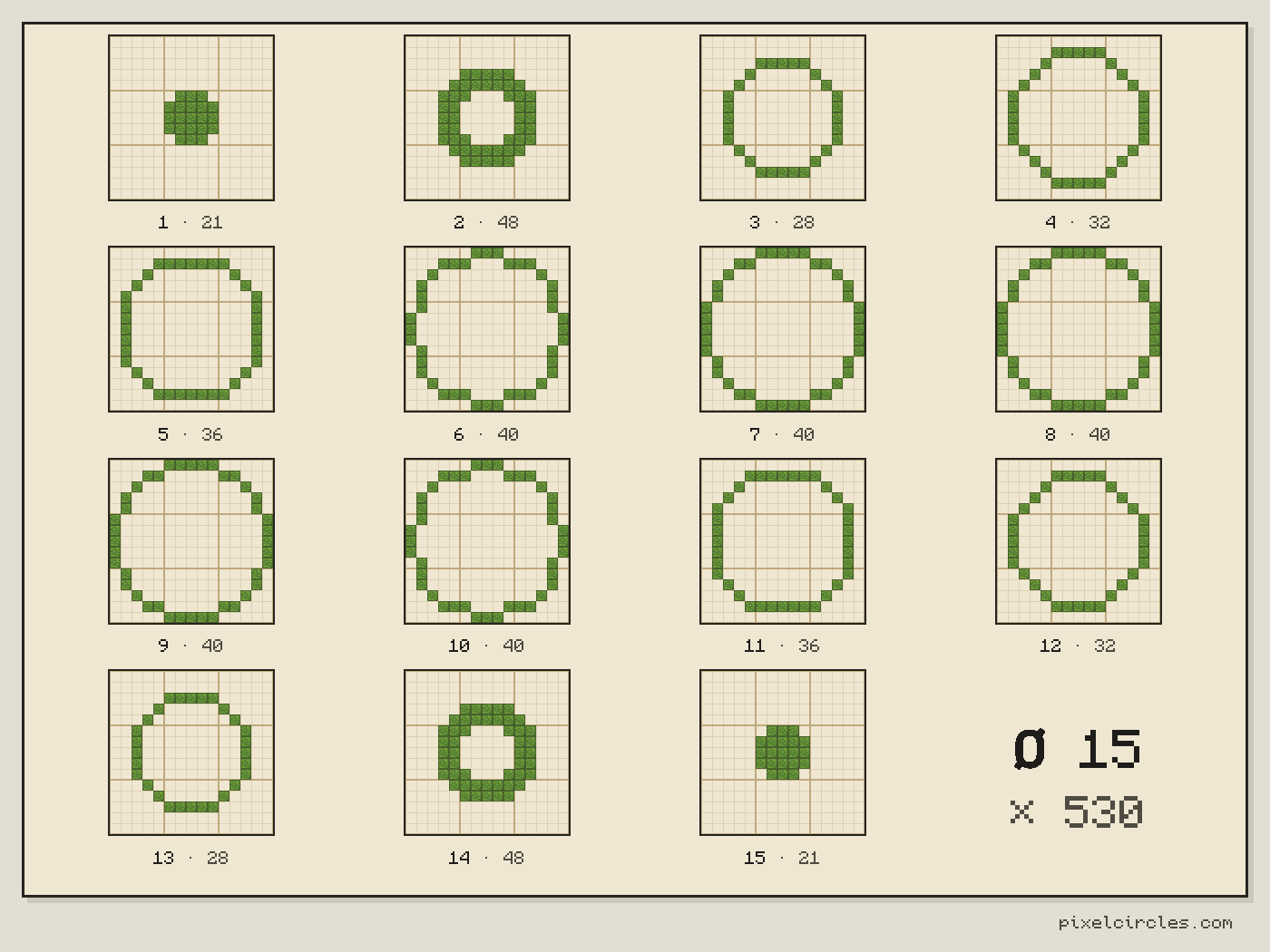
- 1 / 15 · Y=0
- This layer
- 21
- Total blocks
- 530
- Stacks of 64
- 8 stacks + 18
- Diameter
- 15
- Radius
- 7.5
- Layers
- 15
- Width × depth × height
- 15 × 15 × 15
- Placed
- 0 / 530
Click a block to mark it placed.
Readout coordinates: x points east and z south, counted from the centre block; on an even size, 0, 0 is the block just south-east of the centre.
Keys: ↑↓ size · ←→ layer · 3 3D view · T style · E tools
For the Litematica mod: put the file in .minecraft/schematics, press M in game, then Load Schematics. The file holds every layer.
Row-by-row block counts for this layer
| Row | Blocks | Columns with a block |
|---|---|---|
| 1 | 0 | — |
| 2 | 0 | — |
| 3 | 0 | — |
| 4 | 0 | — |
| 5 | 0 | — |
| 6 | 3 | 7–9 |
| 7 | 5 | 6–10 |
| 8 | 5 | 6–10 |
| 9 | 5 | 6–10 |
| 10 | 3 | 7–9 |
| 11 | 0 | — |
| 12 | 0 | — |
| 13 | 0 | — |
| 14 | 0 | — |
| 15 | 0 | — |
How to use
- Set the size and style, or type the size in.
- Step through the layers: each shows its block count.
- Download the .litematic, or print the plan.
This Minecraft sphere generator splits a ball into flat horizontal layers. Enter a diameter, step through the layers with the slider or the ← and → keys, and see exactly where each block goes on every level.
How to build a sphere in Minecraft
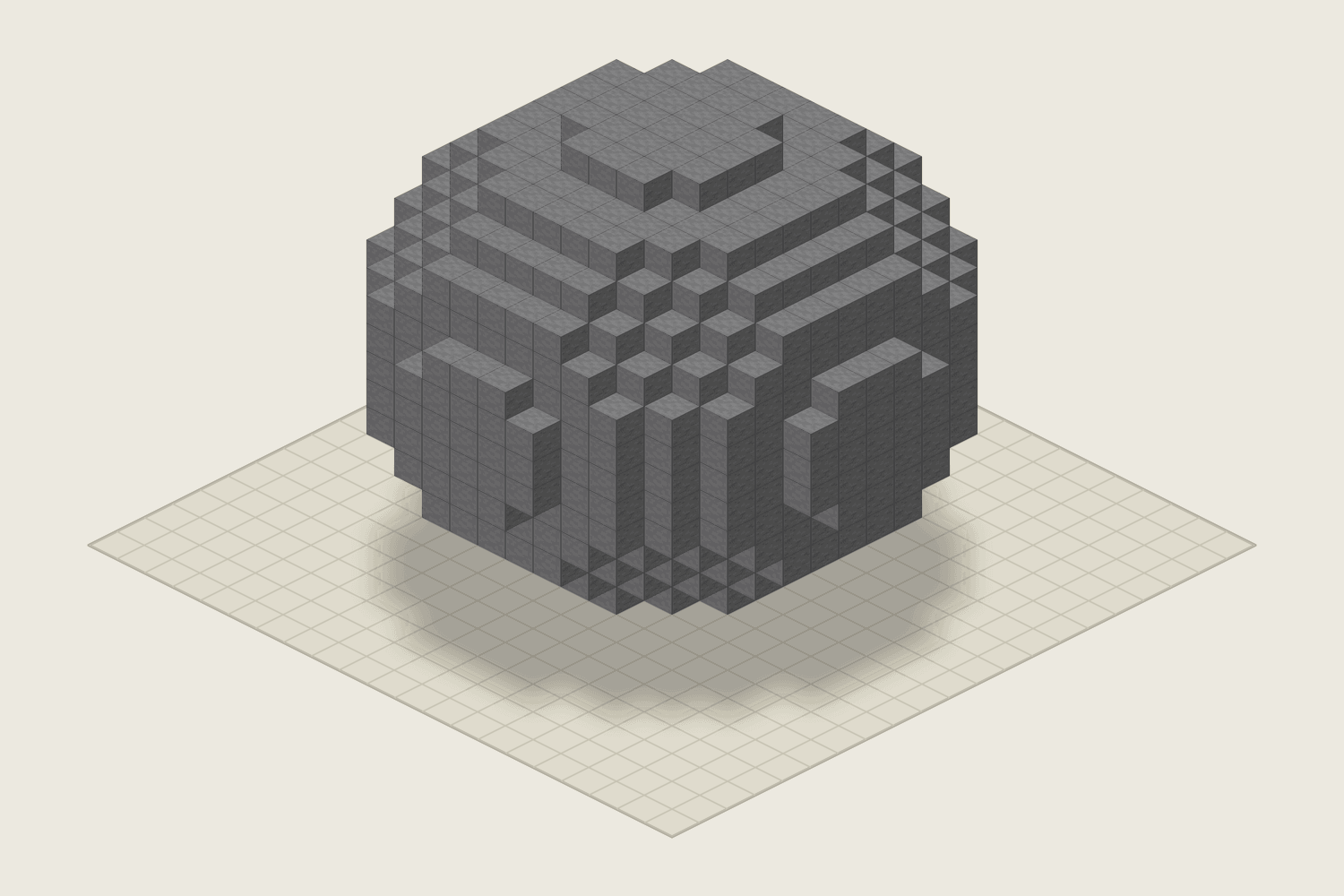
A sphere is a stack of circles. The one in the middle is the widest, and each layer above and below it is a little smaller, until you reach a small solid cap at the top and at the bottom.
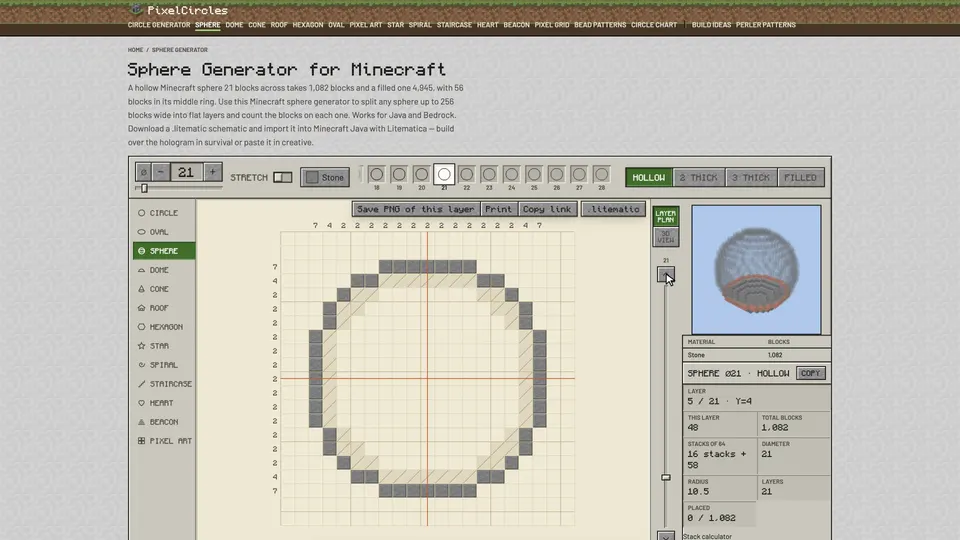
The generator shows one layer at a time. Layer 1 is the bottom cap and the last layer is the top cap. For each layer you get the plan, the block count for that layer and the total for the whole sphere, so you can gather everything before you start.
Small spheres look blocky because there are only a few layers to make the curve. From about 15 blocks across the shape reads as round, and past 30 it looks smooth from almost any distance.
Step by step with the Minecraft sphere generator
- Plan the size. Enter the diameter and check the total in the Stats panel. On survival, gather the blocks first; the total is also given in stacks of 64.
- Mark the centre. Place a marker block where the centre of the sphere will be. The orange lines on the plan cross over the same column on every layer, so this marker lines up every ring.
- Build the middle layer. Drag the slider to the middle. This is the widest ring. If the sphere floats, stand it on scaffolding or a pillar.
- Build up. Move one layer up, place the next ring directly on top, and repeat until you close the top cap. Click blocks on the plan as you place them to keep your place.
- Build down. Go back to the middle and work down to the bottom cap. The lower half mirrors the upper half, so the counts repeat in reverse.
Best uses for spheres
- Planets and moons for a space map or a sky island. Filled spheres work for small moons; hollow ones keep a big planet affordable.
- Glass biodomes with a garden or a farm inside. Put a floor across the middle layer.
- Underwater bases. Build the glass shell, then drain the water from the inside with sponges or by filling it with blocks and clearing them.
- Orbs and lanterns on top of towers, made from glowstone, sea lanterns or stained glass.
Tips for large spheres
Build the middle ring first and check it against the plan before anything else; every other layer depends on it. Keep the marker column in place until the top cap is done.
Work in quarters. Each layer is symmetric, so once one quarter of a ring is right, the other three are copies. On really big spheres, download the .litematic file and let Litematica show the whole shell as a hologram while you build.
Block counts for common sizes
Once you have the total, the Minecraft stack calculator turns blocks into stacks, shulker boxes and chest space.
| Diameter | Hollow | Filled | Middle ring |
|---|---|---|---|
| 9 | 186 | 389 | 24 |
| 15 | 530 | 1,791 | 40 |
| 21 | 1,082 | 4,945 | 56 |
| 31 | 2,382 | 15,515 | 84 |
| 41 | 4,242 | 36,137 | 112 |
| 51 | 6,642 | 69,599 | 144 |
| 64 | 10,464 | 137,376 | 180 |
Frequently asked questions
How do I build a sphere in Minecraft step by step?
Build the widest layer in the middle first, then go up one layer at a time to the top cap, then come back to the middle and build down to the bottom cap. The layer slider shows each ring and how many blocks it takes.
What is a good size for a Minecraft sphere?
Around 15 blocks is the smallest that still looks round from a distance. 21 to 31 blocks suits a planet or a base, and anything past 41 is a long survival project.
How many blocks do I need for a sphere?
A hollow sphere 21 blocks across takes 1,082 blocks and a filled one 4,945. The table on this page lists other sizes. For any diameter up to 256, set it in the Minecraft sphere generator and the Stats panel shows the exact total and how many stacks that is.
What is the difference between a sphere and a dome?
A dome is the top half of a sphere. It starts at the widest ring and stops at the top, so it sits on the ground or on round walls. Use the dome generator for roofs.
Is the hollow sphere sealed?
Yes. Every block of the shell touches the next one along a face, and the top and bottom caps are solid, so water and mobs cannot get in through a gap.
Can I make an ellipsoid or a thicker wall?
Yes. Turn on Stretch to set the width, depth and height apart for an egg, a blimp or a flattened planet, up to 256 blocks each. Pick 2 thick or 3 thick for a wall that many blocks deep, measured in from the outside; every layer stays sealed.
Can I import this build straight into Minecraft?
Yes, on Java Edition with the Litematica mod. Install Fabric and MaLiLib, put the .litematic file in .minecraft/schematics, then press M → Load Schematics in Minecraft. In survival, the build appears as a translucent hologram and you place blocks over it; Easy Place can place one block at a time from the projection. In creative, Litematica can paste the whole build into your world; on a server you need administrator (op) permission. Bedrock Edition cannot use .litematic files, so follow the grid and layer plans instead.